Transforming an Inferior Render into Superior Artwork
Hey there, long time no see. This is a new photoshop tutorial of mine that will teach you how to transform one of thoseugly, desaturated renders into a wonderful image that will look phenomenal when compared to it’s original counterpart.
Ok,to start off, open Photoshop and load up the render that you want tofix, I will be using a recent landscape scene of mine for this example:
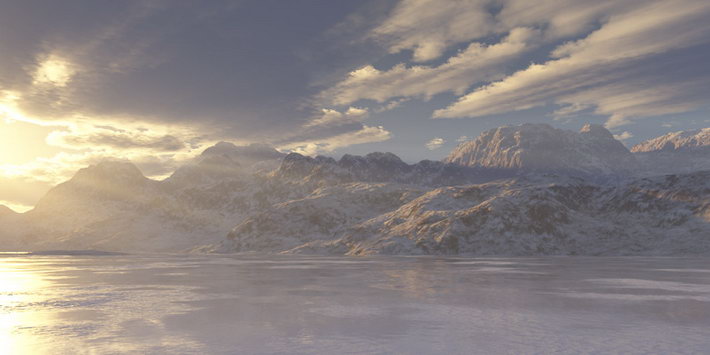
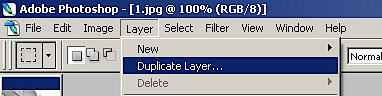
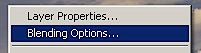
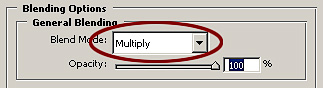
Notice how desaturated and plain the render looks..not good at all. Sonow it’s time to do a little post-production and make this worth looking at. After you open up your image, go to the top of the actions list and select “Layer, Duplicate Layer.” Then right click the render and select “Blending Options,” and switch the layer type from normal to”Multiply.”
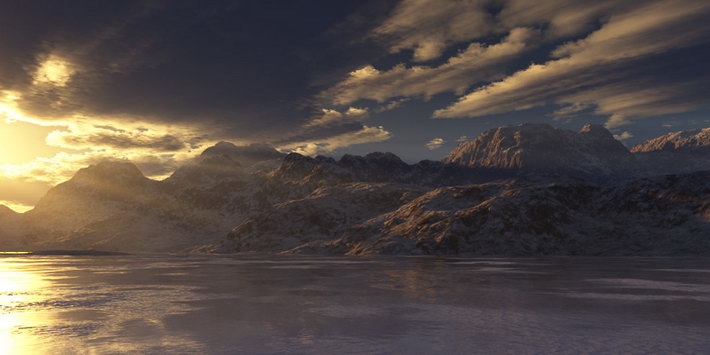
Looking better already, you can see things more clearly, but it’s missing something, is it not? Now what you want to do (but not with all renders) is go to “Filter, Render, Lighting Effects,” and then select”Parallel Direction,” with an intensity of -25:
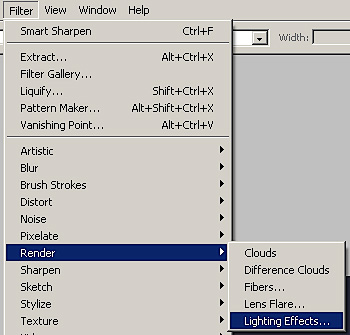
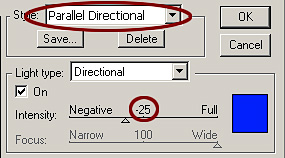
Notice how a nice bloom effect is starting to appear on the left, this will work with many renders that have substantial light effects, butnot 100% of your images. Now let’s flatten the image and duplicate a new “Hard Light” layer:
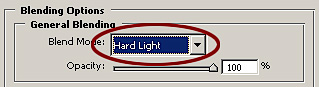
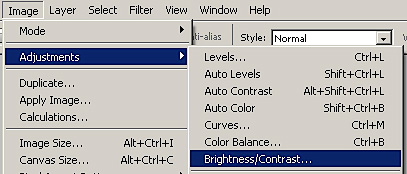
It’s looking alot better now than it did before. If the image is too dark in some areas, then go ahead and add some brightness (but not toomuch). Go to “Image, Adjustments, Brightness/Contrast,” and add the brightness value to about 20 or so (depending on the image):
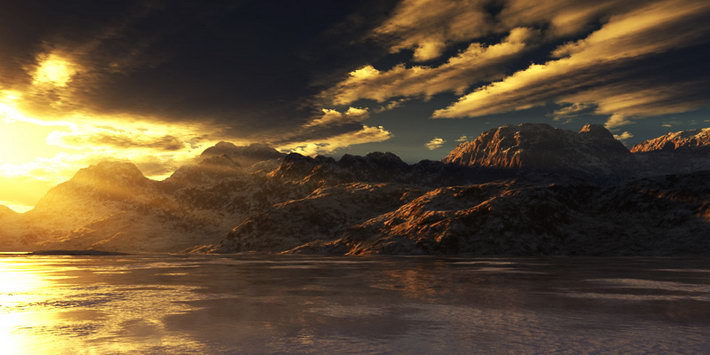
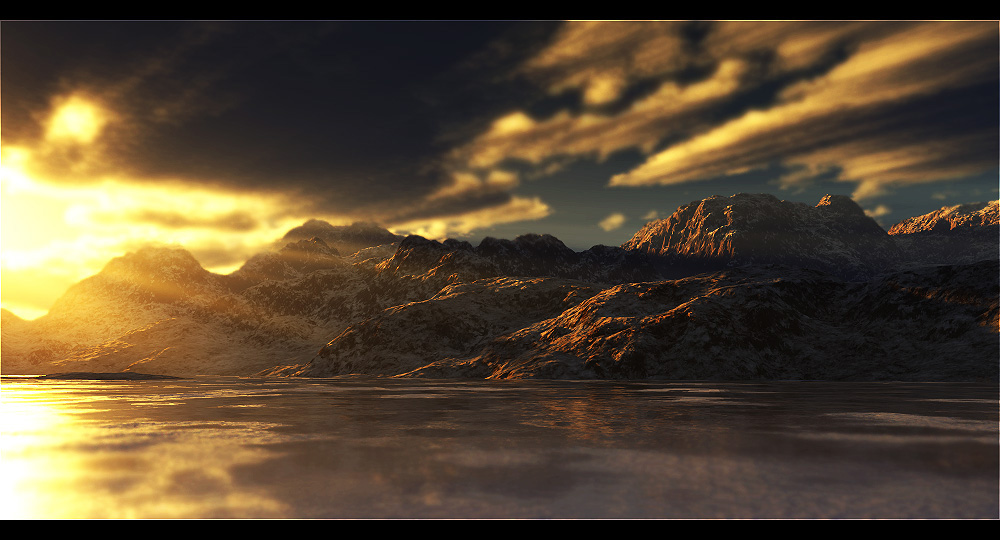
Looks great now! Time to flatten the image again, and to top things off, go ahead and add a sharpen filter if you want, it will enhance the image and show off some more details. Here’s my final result (added some blurring effects for the foreground and sky, etc.)

Thanks for taking my tutorial, I hope you enjoyed it!Be sure and check out some of my previous tutorials, and my new upcoming tutorials that will be online soon. This is just one of the many image enhancing tutorials that you will find online, be sure and drop me a message if you need help with this individual lesson or anything Photoshop-related :]
You can reach me by email, or IM me if you feel more comfortable:
Email: info@xeron3d.com
MSN: Viper680@hotmail.com
AIM: hvillpimp524
My website: http://www.xeron3D.com


About The Author

You might be interested in