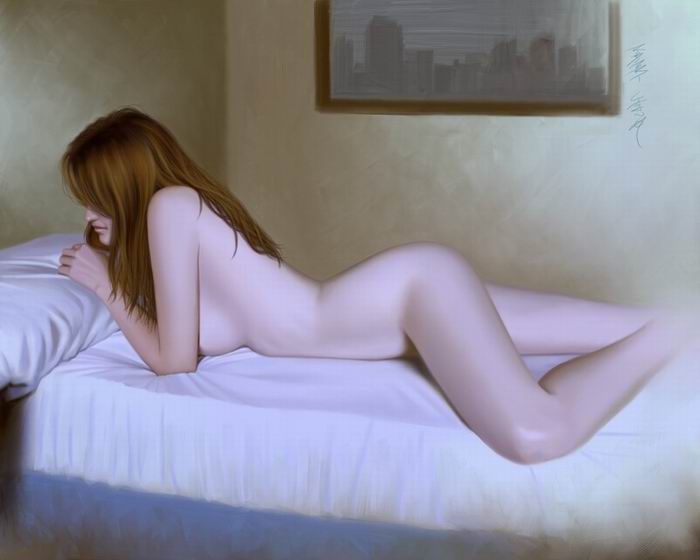
Nude tutorial by Robert Chang
For this Tutorial, I used Painter 7.
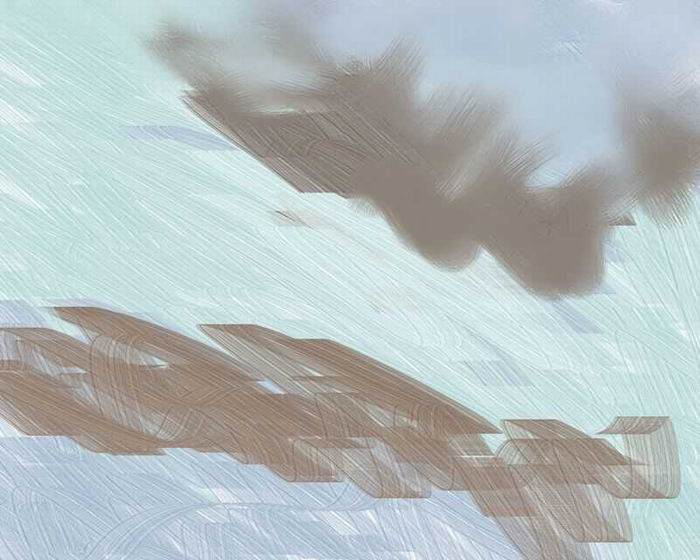
I slapped on some colors with the palette knife, trying to get an over all feel for the mood of this painting.

I quickly blended the color a bit with the opaque round brush, with resaturation set to zero, and bleed turned up. I kept the feature fairly high, since I wanted a rough look. I never use any blending tools in Painter. I find that the painting brushes themselves make much better blenders, since they have bristles, just like a real brush.
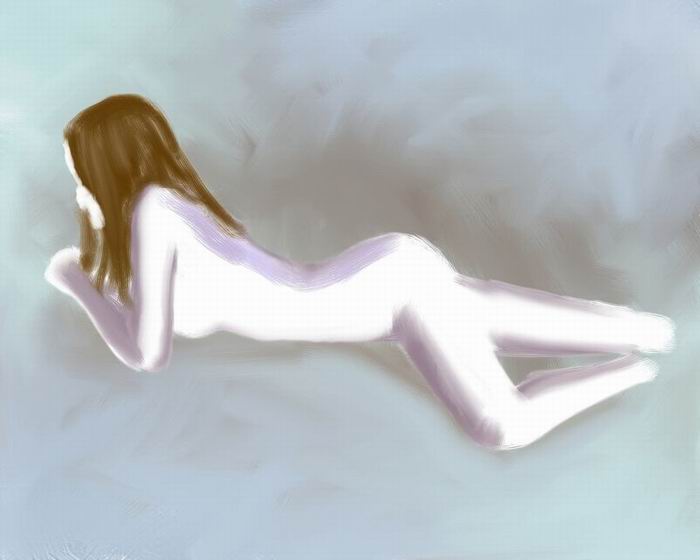
I blocked in the figure, and start laying on the colors I wanted for shadows. I don’t usally paint without a line drawing first, so this is not typical of how I work. I think I was too lazy to draw first for this one(and I regretted it later, so let this be a lesson to ya!). For this entire painting, I only used the opaque round brush, both for painting and blending. The only other brush I used was the palette knife, for the beginning of the painting and the last steps.
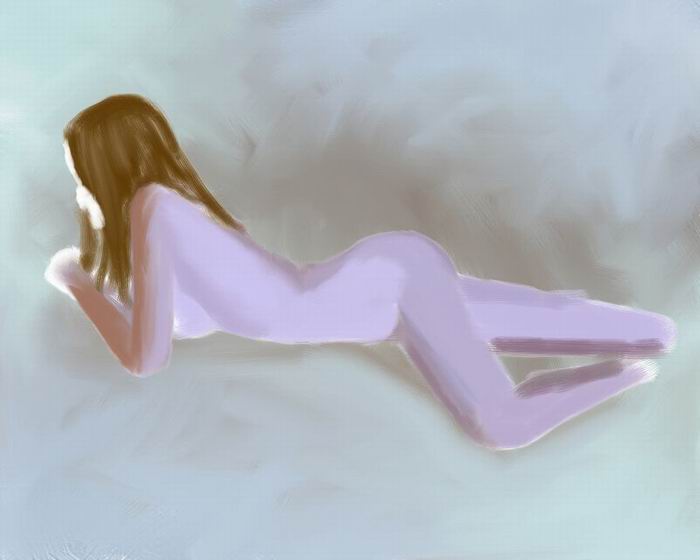
I blocked in the rest of the colors I wanted for the figure.
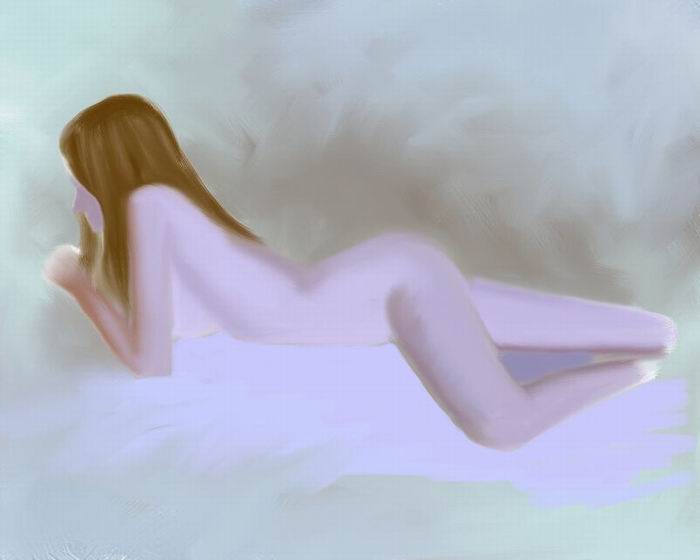
I blended the figure a bit, and started painting in the bed.
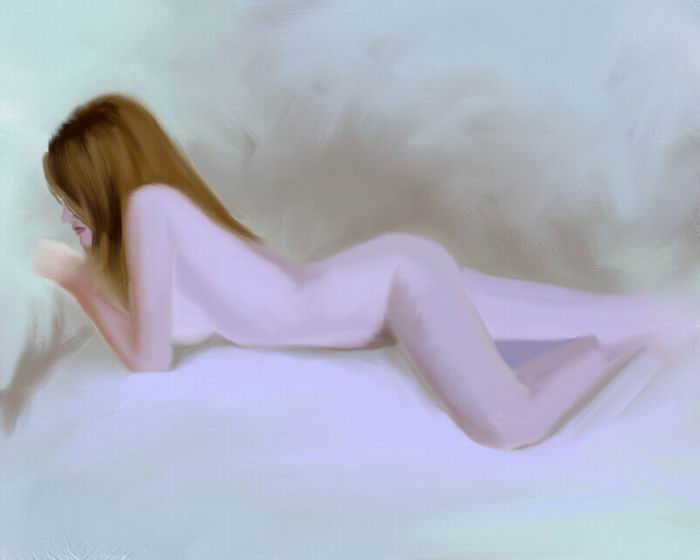
I roughed in the details in the head, and roughed out the pillow.
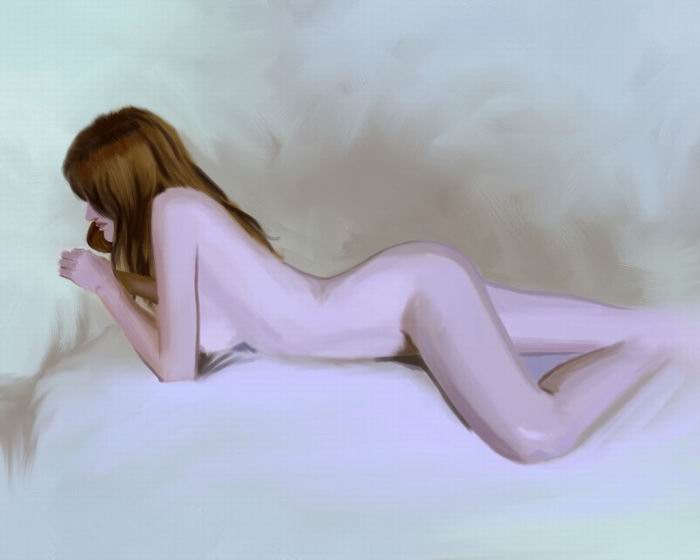
At this point, I realized how much of an ass I was for not doing a line drawing first. So, I made some corrections to the figure, and then blocked in the complete value range for the figure.
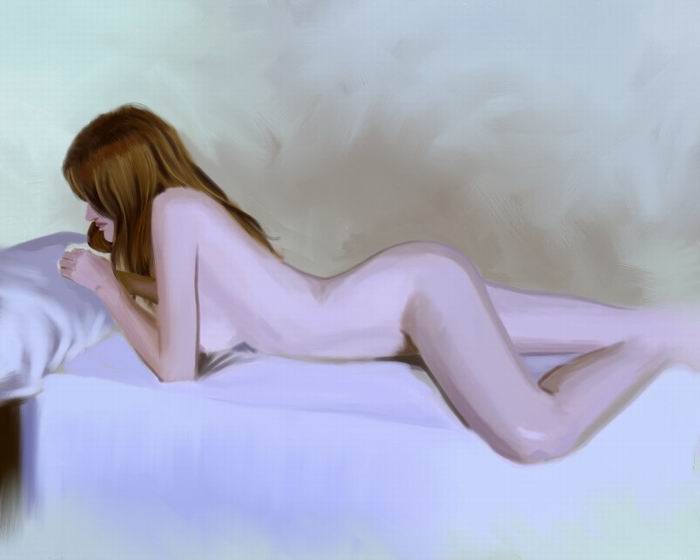
I roughed in the pillow and bed.
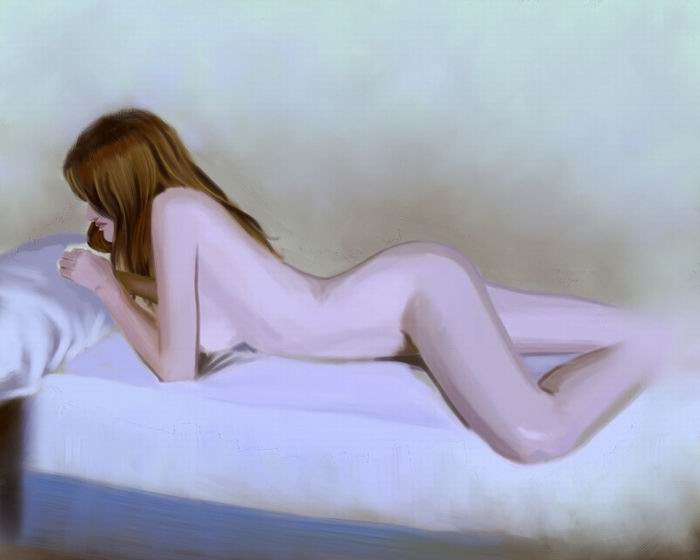
I detailed the bed some more, and blended the background a bit. For the bottom right of the bed, I used the palette knife to fade it out.
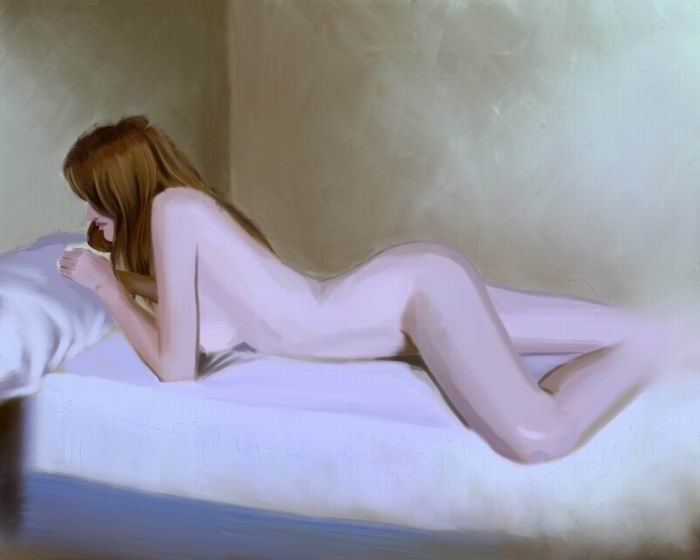
I painted in the walls with the palette knife.
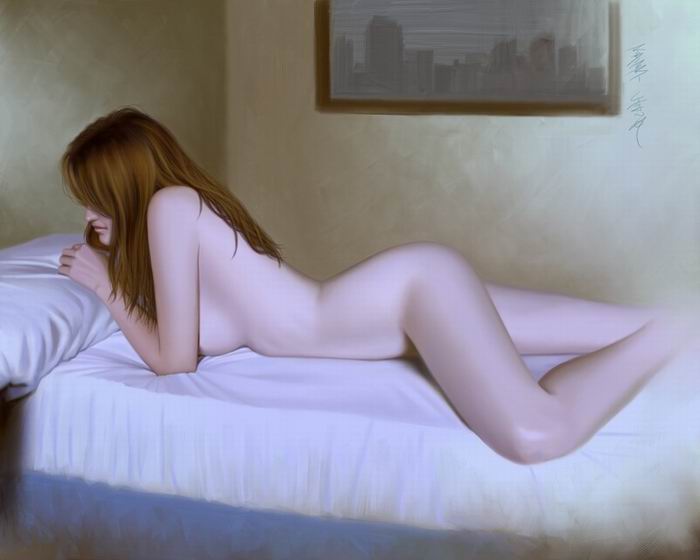
And finally, I blended all the blocked in values, and added fine detail to the face, hair, pillow, bed…etc. The bottom left of the bed is also faded out with the palete knife. To finish it off, I painted in the framed picture with the palette knife. After posting this piece in a forum, someone pointed out the angle of her face was a bit flat, so I went back and altered it a bit.
There. I hope this is helpful to some of you. This is my first complete tutorial, so don’t be too hard on me if it sucks. :)


About The Author

You might be interested in