Maya Cloth tutorial
In this tutorial we will learn how to simulate Maya cloth effect with uniform field to react the forces. dynamics are widely use in Maya before going to start this tutorial you should have basic knowledge of Maya i am using Maya version 7.0 you can use any version regardless.
Lets start open Maya or its running already set to new scene that should create a new and fresh scene.
1-create a NURBS plane and set it as like image below or you can use my scene which i am going to use in this tutorials ( click here to download )
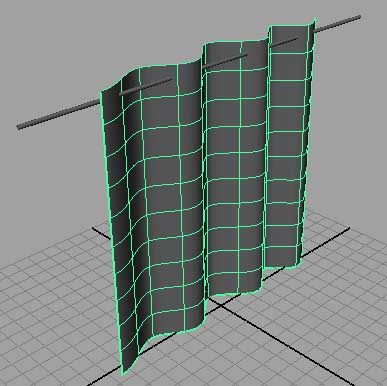
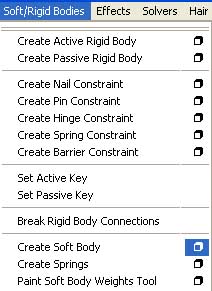
2-when you set your scene this is the to add soft bodies to our curtain to react as cloth, make sure that you model type is set to (dynamics) in dropdown menu, go to soft/rigid bodies then chose that rectangle box as like in image indicating below.
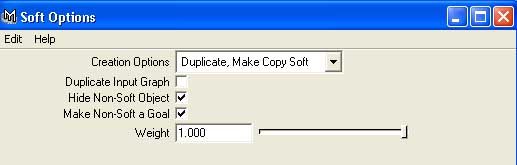
3-set these setting in the soft option then hit the create button as image illustrated below.
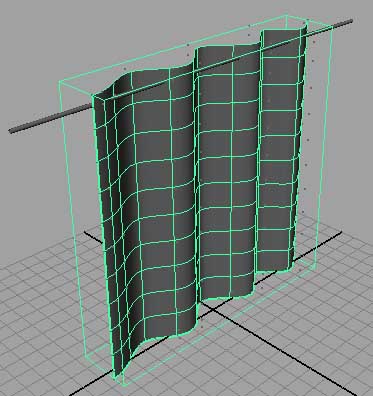
4-now your curtain should look with rectangular light greenish bounding box, its mean that green box adds particle to plane to react to wind field in the scene, as picture below.
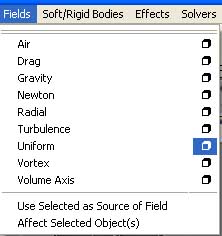
5-now we need to add wind to simulate cloth effect to do that go to (fields) then from dropdown menu chose uniform and hit that small rectangular box to see option, in picture below.
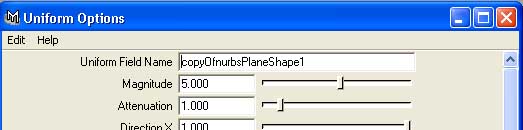
6-now from channel box copy the name of curtain and put it into (uniform field name) box and the hit the create button as like image below.
you think that why i am doing that if you don’t give the curtain name in (uniform field name) some times its not working and says no proper object is select.
7-now if you see the uniform field is in the origin at 0,0,0 as like image below.
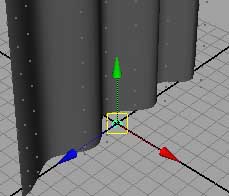
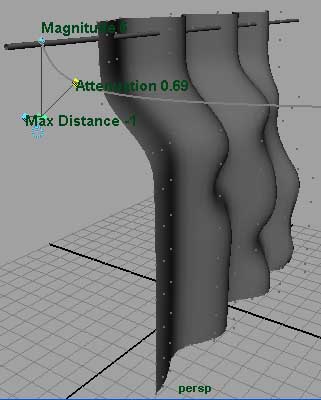
8-now move uniform field to some where in the middle of curtain to react as wind, now with uniform field selected hit (T) button to see attributes to change direction magnetite attenuation, now select that blue handle to change attributes change the direction to blow the curtain, we will play with magnetite attributes later. like picture below.
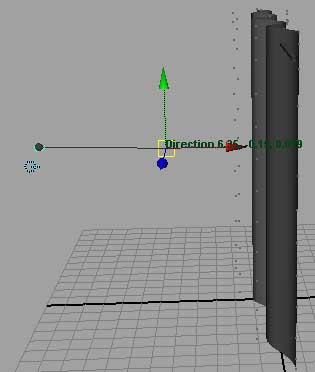
9-now if you play nothing will be happen why that? because we have to pain it with soft body paint. ok lets do that go to soft/rigid bodies again and chose from dropdown menu (paint soft body weights tool) and hit that small rectangular to see option for paint, in image below.
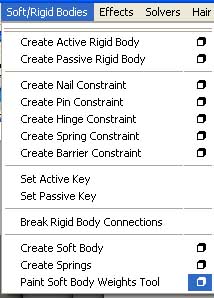
10-and now do the change like image below.
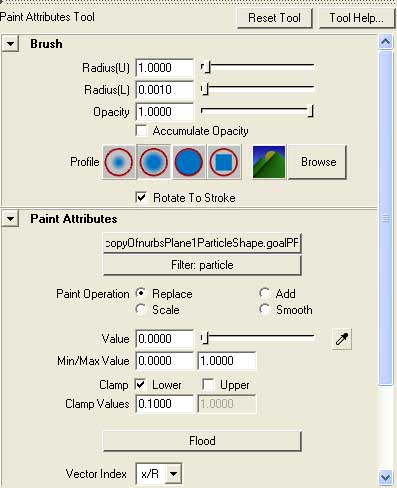
11-now start painting your curtain, when you start painting now its with black color paints the black area mean it will now simulate as clothe with uniform field, as image below.
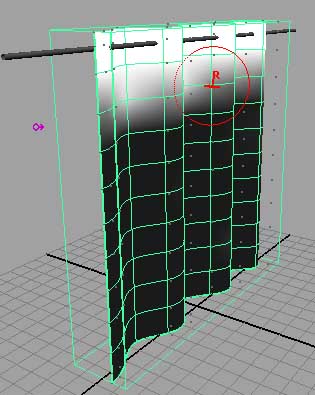
12-now hit play button you should see some thing like in image below, if you see the wind is not forcing to curtain the change attenuation value to something above when you not satisfy.
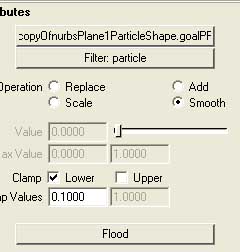
13-and also you can smooth curtain as like real world, to do that again go to paint option and this change instead (replace) check radio box called smooth and again start the paint again where you want to smooth it. as image below.
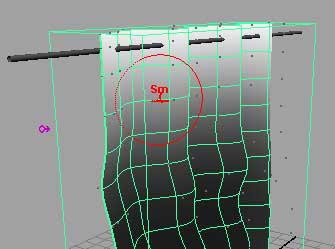
14-now you should see something like in image below.
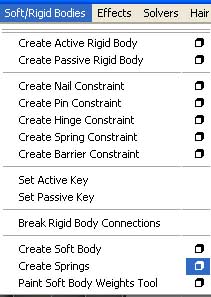
15-now to create more realistic motion in cloth we have to add (Spring) select the curtain first, again go to soft/rigid bodies dropdown menu and then chose that small rectangular box front of (spring) as in image below.
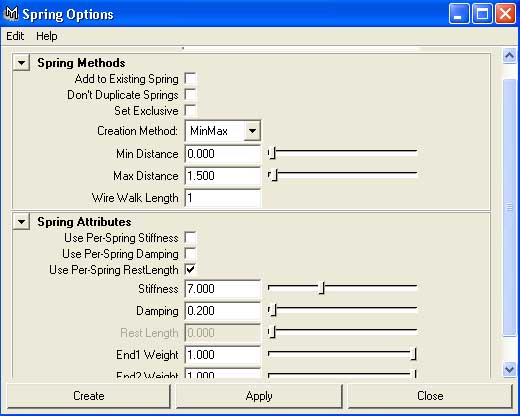
16-now do these settings in the spring option as picture below.
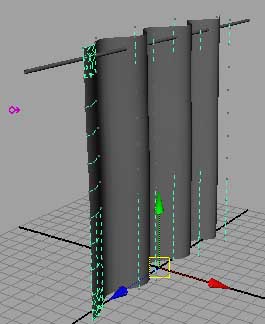
17-now you should see something like in the picture below.
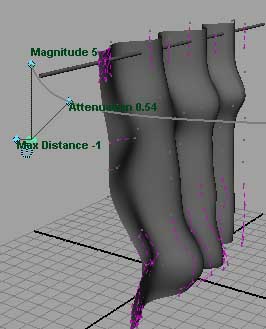
18-now play the animation you should see more realist motion in curtain as image below.
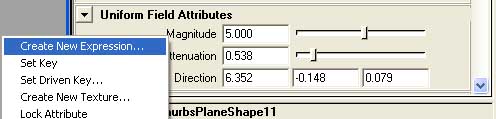
19-now what we need? we need some random motion in cloth to do that hit (Ctrl+A) you should see now the uniform field attribute editor, before doing these make sure the uniform field is selected. now scroll down until you don’t see (Uniform field attributes) right click on (Magnetite) and chose (create new expression) as in image below.
20-now highlight from box called (selected Obj & Attr) and then drag it into expression field to bottom as image below,
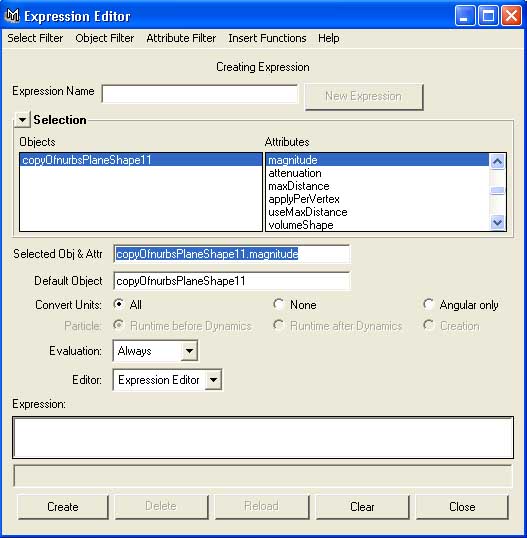
21-now increase to expression this one one (=rand(1,6) ) it will help us to have random motion from 1 to 6 as image below.
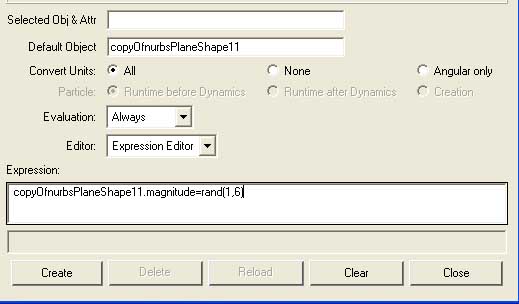
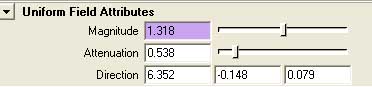
22-now you see that magnetite box color is changed to purple, that is indication expression, as like picture below.
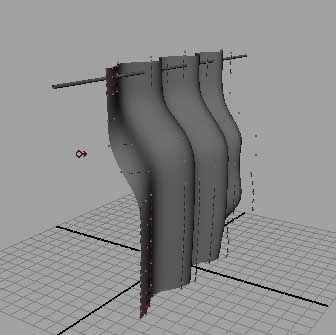
we are pretty done with our object play with settings until you are not satisfy here is mine final result with random motion in curtain, image below.
I hope it help you to create such kind of animations try it by your own pace to find something reasonable.



About The Author

You might be interested in