Lighting

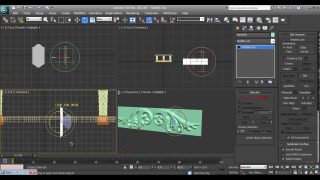
We draw a skeleton of the future lightning.
For this purpose simply arrange in a frontal window of a projection of a line how it seems lightning to you looks.
Then, using tool Loft, create volumetric curves. In quality Shape it is possible to use object Rectangle. In Modify establish for each received object value Shape Steps and Path Steps equal to zero. In Deformations open the panel of deformation Bevel and for each beam of a lightning establish the values so that from the top downward there was a small reduction of thickness of a beam. For example, for the longest beam – values 0,0 – 0,0 and 100,0 – 1,0, and for the uppermost short – values 0,0 – 1,0 and 100,0 – 2,0. Now using Boolean operation Union connect all beams in one object.
Create in Material Editors a material with Self-Illumination equal 100, that color what on yours there should be a lightning and give to its object.
In the command panel in Modify choose modifier Noise and establish the following parameters:
We pass to animation.
As the present lightning sparkles shares of second also our lightning from 100 by default the frame will be present on the screen of the frame 5. Displace the created object somewhere for limits of a removed part of a projective window and press button Animate. Establish in a window of the current frame 20 and move a lightning to a seen part of the screen. Then establish 25 frame and again displace object.
Disable animation.
Open window Track View and having cluck with the right button on each key point change parameters of moving object in an entrance and target point between the key frame so that movement was spasmodic.
With animation have finished.
It is necessary to give lightings more realness using filter Glow.
Open panel Video Post and establish all necessary in a window-Queue (details of use Video Post’a in a lesson on creation steam). Change installation of parameters Lens Effect Glow: Preferences Effect – Size: 2,0 and Color – User (expose the same color as well as in Material Editors) The lighting is ready. For a conclusion of final animation it is necessary to use Video Post.

Download this scene you may here


Download [9Kb]



About The Author

You might be interested in